Vibratory Feeder Controllers: Selection, Setup & Troubleshooting

The critical role of the controller in vibratory feeder performance
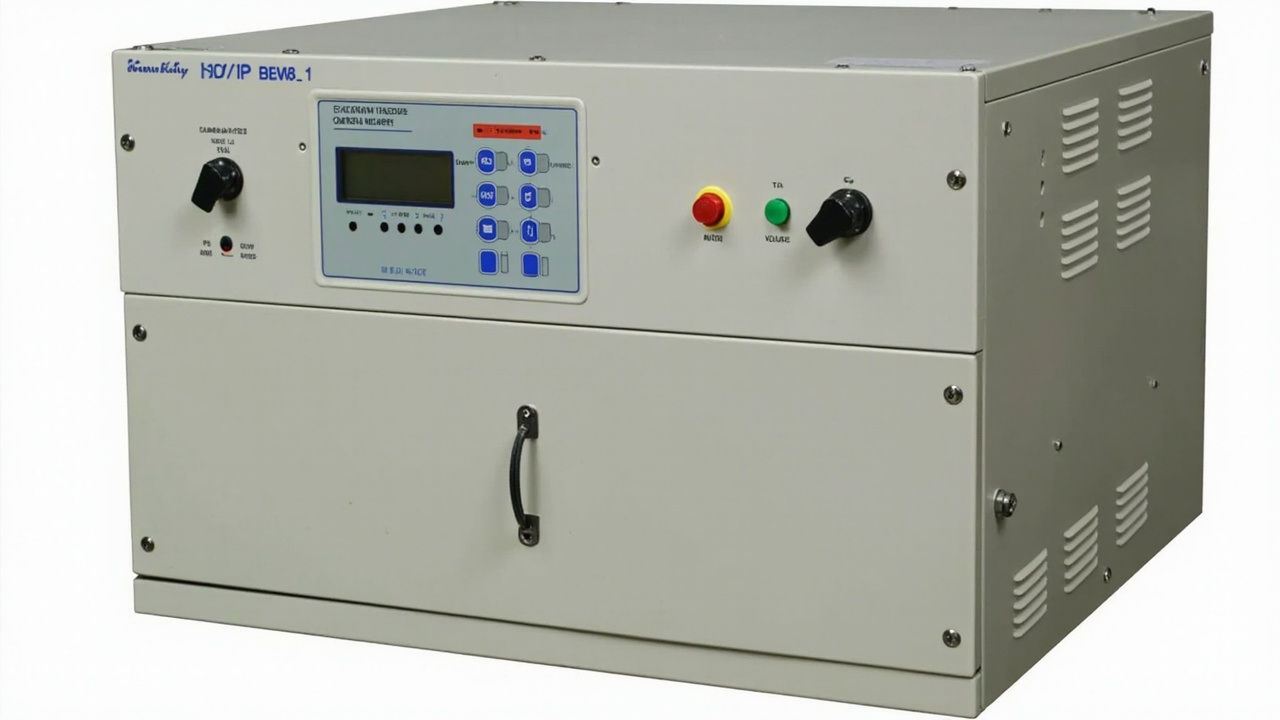
The vibratory feeder controller is the electronic brain that transforms electrical power into precisely regulated mechanical vibration. While the bowl, track, and tooling provide the physical path for parts, the controller determines whether that path performs efficiently, quietly, and reliably. A poorly chosen or incorrectly configured controller can make an excellent mechanical feeder behave erratically, while a well-matched controller can extract maximum performance from even a basic bowl design.
Controller technology has evolved significantly over the past two decades. Analog potentiometer-based units have given way to digital microprocessor-controlled systems with auto-tuning, multi-parameter feedback, and network connectivity. Variable frequency controllers can sweep across a range of frequencies to find the optimal resonance point automatically. Some advanced units now offer predictive maintenance algorithms that detect mechanical degradation before it causes production stoppage.
This article provides a comprehensive guide to vibratory feeder controllers, covering the types available on the market, the criteria for selecting the right controller for your application, step-by-step setup and tuning procedures, and systematic troubleshooting of common controller issues. For related guidance on maintenance and spare parts, see our vibratory feeder maintenance plan and spare parts strategy guide.
Types of vibratory feeder controllers
Vibratory feeder controllers fall into three broad categories based on their control technology: analog, digital, and variable frequency. Each category has distinct advantages, limitations, and cost profiles. Understanding these differences is essential for making an informed selection.
Analog controllers are the simplest and most economical type. They typically use a triac or thyristor to regulate voltage to the electromagnetic coil, with a potentiometer for manual amplitude adjustment. Some analog units include a fixed-frequency oscillator, while others rely on the mains frequency (50 or 60 Hz) with half-wave or full-wave rectification. Analog controllers are robust, easy to operate, and tolerant of electrical noise and harsh environments. However, they offer no feedback, no data output, limited precision, and no automatic compensation for load changes or mechanical drift. They are best suited for simple, single-part applications where feed rate consistency is not critical.
Digital controllers use microprocessors to regulate output with closed-loop feedback. They typically measure coil current, amplitude (via accelerometer or displacement sensor), and temperature, adjusting the output in real time to maintain setpoint. Digital controllers offer precise frequency control, programmable presets, soft start and stop, alarm outputs, and communication interfaces such as RS-485 or Modbus. Auto-tuning algorithms can find the resonant frequency automatically, which is a major advantage when feeder mechanical characteristics change due to load, wear, or tooling changes. Digital controllers are the standard choice for precision feeding, multi-part applications, and quality-critical production.
Variable frequency controllers are a subset of digital controllers that can sweep across a range of frequencies (typically 50-120 Hz) to find and track the optimal operating point. Because the resonant frequency of a vibratory feeder changes with bowl load, spring condition, and temperature, a fixed-frequency controller is often operating slightly off resonance, which reduces efficiency and increases coil heating. Variable frequency controllers continuously track the resonance peak and adjust frequency to maintain it, maximizing vibration amplitude for a given power input and minimizing energy consumption and wear.
| Controller type | Control method | Key advantages | Key limitations | Typical price range |
|---|---|---|---|---|
| Analog (basic) | Triac voltage regulation, potentiometer adjustment | Low cost, simple operation, high environmental tolerance | No feedback, fixed frequency, drifts with load and temperature | $50 - $150 |
| Analog (with frequency) | Triac with variable frequency oscillator | Manual frequency tuning, better than fixed frequency | No auto-tuning, no feedback, limited precision | $100 - $250 |
| Digital (standard) | Microprocessor with current feedback | Precise control, presets, alarms, communication | Higher cost, requires setup knowledge | $200 - $600 |
| Digital (variable frequency) | Microprocessor with frequency sweep and tracking | Auto-resonance tracking, maximum efficiency, minimal drift | Highest cost, more complex setup | $400 - $1,200 |
| PLC-integrated | Digital controller with fieldbus interface | Full automation, data logging, remote control | Requires PLC expertise, integration cost | $600 - $2,000+ |
Controller selection criteria: matching the controller to the application
Selecting the right controller requires evaluating your application requirements against the capabilities of each controller type. The following factors should guide your decision.
Feed rate precision requirement: If your downstream process requires a tightly controlled feed rate with minimal variation, a digital or variable frequency controller is essential. Analog controllers cannot maintain consistent amplitude under load changes, which translates directly to feed rate variation. For applications where feed rate only needs to be "fast enough" with no upper limit, analog may suffice.
Part variety and changeover frequency: If you run multiple parts on the same feeder, a digital controller with multiple presets is highly valuable. Each preset can store the frequency, amplitude, and acceleration profile for a specific part, allowing one-button recall during changeover. Variable frequency controllers add the benefit of automatic re-tuning when the bowl load or tooling changes between parts.
Environmental conditions: In harsh environments with high electrical noise, temperature extremes, or vibration, analog controllers may be more reliable than digital units because they have fewer sensitive electronic components. However, modern industrial digital controllers with proper enclosures and filtering are robust enough for most factory environments. For washdown or outdoor applications, specify the appropriate IP rating for the controller enclosure.
Integration requirements: If the feeder must respond to signals from a PLC, vision system, or upstream process, the controller must have compatible inputs and outputs. Basic digital controllers offer digital I/O for start/stop and speed selection. Advanced units offer analog setpoint inputs, encoder feedback, and fieldbus communication (Modbus, Profinet, EtherNet/IP) for full integration into automated lines.
Budget and total cost of ownership: Analog controllers have the lowest purchase price but may cost more over time due to higher energy consumption, more frequent manual re-tuning, and lack of diagnostic data that could prevent failures. Variable frequency controllers have the highest purchase price but often deliver the lowest operating cost through energy savings and reduced coil wear. Evaluate the total cost of ownership over the expected equipment life, not just the initial purchase price.
Step-by-step controller setup and tuning procedures
Proper setup is critical to achieving the performance that the controller is capable of delivering. The following procedure applies to digital and variable frequency controllers. Analog controller setup is simpler but follows the same general principles with manual adjustment instead of programmed values.
Step 1: Mechanical verification before power-on. Before connecting power, verify that the feeder is mechanically sound. Check that all mounting bolts are tight, the bowl is level, the springs are intact and correctly installed, and the air gap is within specification. Verify that the coil resistance matches the controller's rated load. A controller connected to a mechanically defective feeder will not perform well and may be damaged.
Step 2: Initial power-on and parameter verification. Connect power and observe the controller startup sequence. Verify that the display shows expected values and that no alarm codes appear. Check that the input voltage matches the controller rating. Set the controller to manual mode if available, with amplitude at minimum and frequency at the manufacturer's recommended starting point (often 50 or 100 Hz depending on the drive design).
Step 3: Resonant frequency identification. The resonant frequency is the frequency at which the mechanical system vibrates most efficiently, producing maximum amplitude for a given power input. On a variable frequency controller, activate the auto-tune function and allow the controller to sweep through its frequency range. The controller will identify the frequency at which current draw is minimized for a given amplitude, which corresponds to resonance. On a fixed-frequency digital controller, manually adjust frequency in small increments while observing amplitude or listening for the characteristic resonant tone. Document the resonant frequency for future reference.
Step 4: Amplitude calibration with parts. With the resonant frequency locked, gradually increase amplitude while observing part movement. Add a representative quantity of parts to the bowl. The parts should begin to move up the track smoothly. Continue increasing amplitude until the target feed rate is achieved. Verify that parts maintain correct orientation through all tooling sections. If parts bounce excessively or misorient, reduce amplitude slightly. If parts stall or fail to climb, verify track condition and tooling geometry before increasing amplitude further.
Step 5: Load compensation verification. A well-tuned feeder should maintain consistent performance as the bowl load changes from full to nearly empty. Test this by running the feeder from a full bowl and observing feed rate and part behavior as the bowl empties. On a variable frequency controller with load compensation, verify that the controller adjusts amplitude or frequency automatically to maintain setpoint. On a basic digital controller, you may need to manually adjust amplitude for different load conditions or accept some variation.
Step 6: Preset storage and documentation. Once optimal settings are found, store them as a preset if the controller supports multiple presets. Document the settings in the maintenance log: frequency, amplitude (or voltage), current draw, feed rate, bowl fill level, and part number. This documentation becomes the baseline for future troubleshooting and maintenance.
Tuning best practices for stable, efficient operation
Beyond the basic setup procedure, several advanced tuning practices can improve feeder performance and reduce wear.
Soft start and soft stop: Abrupt starting and stopping causes parts to tumble and lose orientation, and creates mechanical shock that stresses springs and tooling. Configure soft start to ramp amplitude from zero to operating level over 1-3 seconds. Configure soft stop to ramp down over 0.5-2 seconds. The exact timing depends on part geometry and track design; delicate parts benefit from longer ramp times.
Dual-speed operation: Many applications benefit from two operating speeds: a high speed for rapid bowl filling when the downstream machine is ready, and a low speed for gentle, precise feeding when the buffer is nearly full. Configure two presets with appropriate amplitude and acceleration values. Use the downstream machine's demand signal to switch between them. This reduces part recirculation and contact damage compared to running at full speed continuously.
Frequency fine-tuning for temperature stability: The resonant frequency of a vibratory feeder changes with temperature, primarily because spring stiffness varies with temperature. If your feeder operates in an environment with significant temperature swings, you may need to adjust frequency seasonally. A variable frequency controller with temperature compensation can automate this adjustment. For fixed-frequency controllers, document the optimal frequency at different temperatures and adjust accordingly.
Current limiting for protection: Set the controller's maximum current limit to 110-120% of normal operating current. This protects the coil from overheating if mechanical binding or overload occurs. If the current limit trips frequently, investigate the mechanical cause rather than simply raising the limit. Chronic overcurrent is a symptom of mechanical problems that will cause premature failure if ignored.
Troubleshooting common controller issues
When a vibratory feeder performs poorly, the controller is often suspected first, but the root cause is frequently mechanical. A systematic troubleshooting approach distinguishes controller problems from mechanical problems and avoids wasted time and parts replacement.
| Symptom | Probable causes | Diagnostic steps | Corrective action |
|---|---|---|---|
| Feeder does not start | No power, controller fault, coil open, blown fuse | Check input voltage, controller display, coil resistance, fuses | Restore power, replace fuse, repair or replace coil, replace controller if faulted |
| Feeder runs but no vibration | Amplitude at zero, coil disconnected, broken spring | Verify amplitude setting, check coil connections, inspect springs | Increase amplitude, reconnect coil, replace broken springs |
| Weak vibration, low feed rate | Wrong frequency, worn springs, low voltage, overloaded bowl | Check frequency against baseline, measure spring free length, verify input voltage, reduce bowl load | Re-tune frequency, replace springs, correct voltage, optimize fill level |
| Intermittent stopping and starting | Loose connections, overheating, controller fault, sensor issue | Check all wiring, monitor controller temperature, check for error codes, verify sensor operation | Tighten connections, improve ventilation, replace controller, adjust or replace sensor |
| Excessive noise or rattling | Loose hardware, coil strike, worn springs, over-driving | Inspect and tighten fasteners, measure air gap, inspect springs, reduce amplitude | Tighten hardware, adjust air gap, replace springs, reduce amplitude to proper level |
| Inconsistent feed rate | Load variation, frequency drift, mechanical wear, controller instability | Observe under varying load, check frequency stability, inspect mechanical condition, verify controller feedback | Enable load compensation, re-tune, repair mechanical issues, replace controller if unstable |
| Controller overheating | Over-driving, poor ventilation, excessive ambient temperature, coil short | Reduce amplitude, check ventilation openings, measure ambient temperature, measure coil resistance | Reduce load, clean ventilation, improve cooling, replace coil |
| Parts misorient or bounce | Amplitude too high, frequency wrong, tooling worn | Reduce amplitude incrementally, verify frequency at resonance, inspect tooling condition | Optimize amplitude, re-tune frequency, repair or replace tooling |
Electrical integration and safety considerations
Proper electrical installation is essential for controller reliability and operator safety. The following guidelines apply to all controller installations.
Power supply: Verify that the supply voltage, frequency, and phase match the controller rating. Voltage fluctuations common in industrial plants can cause controller malfunction or damage. If voltage variation exceeds ±10%, install a voltage stabilizer or UPS. Ensure that the supply circuit is properly fused and that the fuse rating matches the controller manufacturer's specification.
Grounding: The controller enclosure, the feeder base, and all associated metalwork must be bonded to protective earth. Proper grounding protects against electric shock, reduces electrical noise, and provides a path for fault currents. Do not rely on conduit or mounting bolts for grounding; use dedicated grounding conductors.
Cable routing: Separate power cables from signal cables to prevent electromagnetic interference. Use shielded cables for sensor and communication connections, with the shield grounded at one end only. Secure cables with strain reliefs to prevent fatigue at connection points. Avoid routing cables where they will be exposed to mechanical damage, heat, or chemical exposure.
Emergency stop integration: The feeder controller must be wired into the machine's emergency stop circuit so that a stop command immediately removes power from the coil. Do not rely solely on software stop commands, because a controller fault could prevent software shutdown. Use a contactor or relay that breaks the coil circuit directly when the emergency stop is activated.
Advanced controller features and when to use them
Modern digital controllers offer features that go beyond basic frequency and amplitude control. Understanding these features helps you justify investment in advanced controllers and use them effectively.
Auto-tuning with frequency tracking: This feature continuously monitors the resonant frequency and adjusts the operating frequency to track it. It compensates for load changes, temperature drift, and gradual spring fatigue. Use this feature when feed rate consistency is critical, when the feeder operates over a wide range of bowl fill levels, or when environmental temperature varies significantly.
Vibration monitoring and alarming: Some controllers include accelerometers that monitor actual vibration amplitude and compare it to the setpoint. If amplitude drops below a threshold, the controller generates an alarm. This feature detects mechanical problems such as spring cracks, loose mounting, or product buildup before they cause a complete stoppage.
Energy optimization: Advanced controllers can minimize power consumption by operating exactly at resonance and adjusting amplitude to the minimum required for the target feed rate. Over months and years of operation, the energy savings can be significant, especially for large feeders or installations with many feeders.
Data logging and connectivity: Controllers with Ethernet or fieldbus interfaces can log operating parameters to a central database, enabling trend analysis and predictive maintenance. They can also be monitored and adjusted remotely, which reduces the need for on-site visits during troubleshooting. These features are most valuable in large installations, unmanned operations, or environments where access is difficult.
Frequently asked questions about vibratory feeder controllers
How do I know if my controller is operating at the resonant frequency?
At resonance, the feeder produces maximum vibration amplitude for a given power input, and the coil current is minimized. You can identify resonance audibly by listening for the clearest, most powerful tone as you sweep frequency. Quantitatively, a variable frequency controller with auto-tune will identify resonance automatically. On a manual controller, measure current at different frequencies and select the frequency with lowest current. Document this frequency and verify it monthly, because mechanical changes can shift resonance.
Can I use any controller with any electromagnetic vibratory feeder?
No. The controller must be matched to the coil voltage, current, and power rating. Using an undersized controller causes overheating and premature failure. Using an oversized controller may provide poor control resolution at low amplitudes. Check the coil nameplate for voltage and resistance, calculate the expected current, and select a controller with adequate capacity and the correct voltage rating. If in doubt, consult the feeder manufacturer or controller supplier.
Why does my feeder need re-tuning after a product changeover?
Different parts have different masses, centers of gravity, and contact characteristics, which change the mechanical resonant frequency and the optimal amplitude. Even the same part from a different mold cavity or material batch can behave differently. A controller with multiple presets stores the tuned parameters for each part, making changeover a one-button operation. Without presets, you must manually re-tune frequency and amplitude for each part, which takes time and skill.
What causes a digital controller to display erratic readings?
Erratic readings usually indicate electrical noise, loose connections, or a failing internal component. Check that all cables are securely connected and that shielded cables are properly grounded. Verify that the power supply is stable and free of voltage spikes. If the problem persists in a clean electrical environment, the controller's analog-to-digital converter or sensor interface may be failing, requiring controller replacement.
Should I choose a variable frequency controller or a fixed-frequency digital controller?
Choose a variable frequency controller when feed rate consistency is important, when the feeder operates under varying load conditions, when temperature varies significantly, or when energy efficiency is a priority. The automatic resonance tracking and load compensation justify the higher cost in these applications. Choose a fixed-frequency digital controller for simpler applications with stable loads, consistent parts, and tight budget constraints. The fixed-frequency unit still provides presets, alarms, and communication that analog controllers lack.
How do I integrate a vibratory feeder controller with my PLC?
Most digital controllers provide digital inputs for start/stop and speed selection, and digital outputs for ready status and alarm signals. Wire these to your PLC's I/O modules according to the controller manual. For more sophisticated integration, use the controller's analog input for speed setpoint from the PLC, or use a fieldbus interface (Modbus RTU, Profinet, EtherNet/IP) for bidirectional communication. Define the control logic clearly: when the downstream machine needs parts, the PLC starts the feeder; when the buffer is full, the PLC stops or slows the feeder; when the controller alarms, the PLC logs the fault and notifies the operator.
Maximizing feeder performance through controller expertise
The vibratory feeder controller is too often treated as an afterthought, a commodity component to be sourced at the lowest price. In reality, the controller is a precision instrument that determines whether the mechanical investment in the bowl and tooling delivers its full value. A well-chosen, correctly configured controller improves feed rate consistency, reduces energy consumption, extends coil and spring life, and provides diagnostic data that enables predictive maintenance.
The evolution from analog to digital to variable frequency controllers reflects the increasing demands of modern manufacturing for precision, efficiency, and connectivity. While analog controllers still have a place in simple applications, most production environments benefit from the feedback, programmability, and auto-tuning capabilities of digital systems. Variable frequency controllers represent the current state of the art for applications where resonance tracking and load compensation are critical.
Huben Automation supplies vibratory feeders with controllers matched and pre-configured for each application. Our factory-direct engineering team selects the appropriate controller type, tunes it to resonance with your parts, and provides documentation and training for your maintenance staff. If you need help selecting, configuring, or troubleshooting a vibratory feeder controller, contact our technical team. You can also explore our vibratory bowl feeder products or read our PLC integration guide for automation architecture guidance.
Ready to Automate Your Production?
Get a free consultation and detailed quote within 12 hours from our engineering team.