Vibratory Bowl Feeder Troubleshooting Guide: 12 Common Problems & Solutions

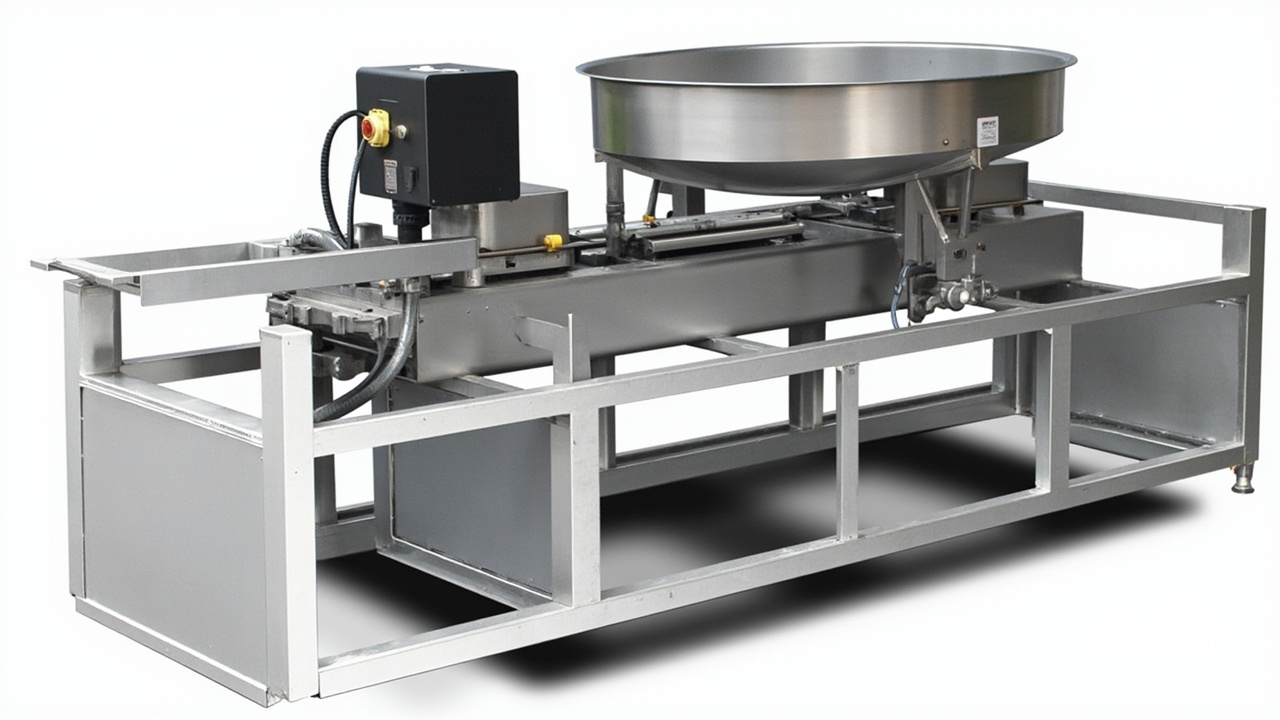
Vibratory Bowl Feeder Troubleshooting: A Systematic Approach
Vibratory bowl feeders are remarkably reliable when properly set up and maintained, but even the best systems occasionally develop issues. When your feeder stops performing as expected, a systematic troubleshooting approach saves time and prevents costly downtime. This guide covers the 12 most common vibratory bowl feeder problems, their root causes, and step-by-step solutions drawn from over 20 years of field experience at Huben Automation.
Before diving into specific problems, always follow this basic diagnostic sequence: observe the symptoms → isolate the subsystem → identify the root cause → apply the fix → verify the result. Rushing to conclusions often leads to misdiagnosis and wasted effort.
Quick Troubleshooting Decision Table
Use this table to rapidly narrow down the likely cause of your feeder issue:
| Symptom | Likely Subsystem | First Check | Common Root Cause |
|---|---|---|---|
| Feeder won't start at all | Electrical / Controller | Power supply & fuses | Blown fuse or loose connection |
| Slow or reduced feed rate | Mechanical / Tuning | Spring pack condition | Worn springs or detuning |
| Parts jamming in track | Tooling / Parts | Track clearance & debris | Worn tooling or foreign objects |
| Inconsistent orientation | Tooling / Air jets | Selector adjustment | Shifted tooling or clogged jets |
| Excessive noise | Mounting / Springs | Mounting bolts & springs | Loose mounting or cracked springs |
| Parts damage or scratching | Track / Coating | Track surface condition | Worn coating or rough edges |
| Spring breakage | Springs / Mounting | Spring pack alignment | Over-tightening or fatigue |
| Vibration instability | Tuning / Mounting | Level & isolation | Unlevel base or resonance |
| Intermittent electrical faults | Wiring / Controller | Connection tightness | Vibration-loosened wires |
| Bowl track wear | Track / Parts | Track surface thickness | Abrasive parts or no lining |
| Controller malfunction | Controller | Error codes & display | Overheating or component failure |
| Air jet not working | Pneumatic | Air supply pressure | Clogged nozzle or low pressure |
Huben Expert Tip
When optimizing your production line, always consider the long-term ROI of factory-direct equipment over cheaper short-term alternatives. Quality components drastically reduce downtime.
Problem 1: Feeder Won't Start
Symptoms
- No vibration when power switch is turned on
- Controller display is dark or shows an error code
- Feeder hums but does not vibrate
Root Causes
- Power supply failure — Tripped breaker, blown fuse, or disconnected power cable
- Controller fault — Internal fuse blown, triac failure, or software lockout
- Coil failure — Open or shorted electromagnetic coil
- Safety interlock triggered — Door switch, overload relay, or emergency stop engaged
Step-by-Step Solution
- Verify power at the outlet with a multimeter. Check that the voltage matches the feeder rating (110V or 220V).
- Inspect all fuses in the controller and replace any that are blown. Use the correct amperage rating.
- Check all cable connections between the controller and the feeder base. Vibration can loosen connectors over time.
- Measure coil resistance with a multimeter. Typical values range from 5-50 ohms depending on the coil. An open circuit or near-zero reading indicates a failed coil.
- Reset any safety interlocks and verify the emergency stop button is released.
- If the controller displays an error code, consult the manufacturer's manual for the specific code meaning and corrective action.
Problem 2: Slow Feed Rate
Symptoms
- Parts move too slowly up the track
- Throughput is below the specified rate
- Parts stall or stop on the track
Root Causes
- Worn or fatigued springs — Springs lose tension over time, reducing vibration amplitude
- Detuned system — The spring-mass system has shifted out of resonance
- Excessive bowl load — Too many parts in the bowl overload the drive unit
- Controller setting too low — Amplitude or frequency set below optimal level
- Track contamination — Oil, dust, or part debris creating friction on the track
Step-by-Step Solution
- Clean the bowl and track thoroughly. Remove all parts and wipe down with a lint-free cloth. Use isopropyl alcohol for oily residue.
- Reduce the parts load in the bowl to the recommended fill level (typically 1/3 to 1/2 of bowl volume).
- Increase the controller amplitude setting gradually. If the feed rate does not improve, the issue is likely mechanical.
- Inspect all leaf springs for cracks, deformation, or fatigue. Replace springs as a complete set — never mix old and new springs.
- Retune the system: loosen the spring pack bolts slightly, run the feeder at full amplitude, then tighten bolts while monitoring performance. The goal is to achieve resonance where the bowl vibrates most efficiently.
- Check that the coil air gap is set correctly (typically 0.5-1.0 mm). An incorrect gap wastes energy and reduces amplitude.
Problem 3: Parts Jamming
Symptoms
- Parts get stuck in the track or at tooling points
- Feeder requires frequent manual clearing
- Parts bridge or nest together in the bowl
Root Causes
- Worn or damaged tooling — Selectors and baffles have eroded, creating tight spots
- Foreign objects — Debris, broken parts, or wrong part types in the bowl
- Incorrect tooling clearance — Tooling gaps are too tight for part tolerances
- Part design changes — Supplier has changed part dimensions without notification
Step-by-Step Solution
- Empty the bowl completely and inspect for foreign objects, broken parts, or debris. Clean thoroughly.
- Examine all tooling points for wear, especially at selector blades and orientation windows. Measure clearances against the original specifications.
- Adjust tooling clearances to accommodate the part's maximum tolerance, plus an additional 0.1-0.3 mm safety margin.
- If parts are nesting or bridging, add anti-nesting features such as risers, wiper blades, or agitation strips in the bowl bottom.
- Verify that the parts being loaded match the feeder's designed specifications. Even small dimensional changes from a new supplier can cause jamming.
- Consider adding a pre-sorting mechanism or a cascade overflow section to prevent parts from piling up at critical points.
Problem 4: Inconsistent Orientation
Symptoms
- Parts exit the feeder in wrong or random orientations
- Orientation accuracy drops below 95%
- Some parts pass through tooling that should reject them
Root Causes
- Shifted tooling — Vibration has moved selector blades or baffles from their original position
- Worn orientation features — Edges and contours that distinguish part orientations have eroded
- Air jet misalignment — Blow-off jets are not aimed at the correct point
- Insufficient vibration amplitude — Parts don't have enough energy to engage with tooling properly
Step-by-Step Solution
- Run a small batch of parts and observe where orientation failures occur. Mark the specific tooling station causing the issue.
- Check all tooling mounting screws and brackets for tightness. Vibration can gradually shift tooling over days or weeks of operation.
- Inspect selector edges and orientation windows for wear. Even 0.1 mm of wear can allow incorrectly oriented parts to pass through.
- Adjust air jet nozzles: verify the nozzle position, angle, and air pressure. Most orientation blow-offs require 0.3-0.6 MPa (40-90 PSI).
- Slightly increase the vibration amplitude to ensure parts fully engage with each orientation feature.
- If the part has subtle orientation differences, consider adding a secondary verification station with a sensor or vision check downstream.
Problem 5: Excessive Noise
Symptoms
- Feeder produces loud rattling, banging, or screeching sounds
- Noise level exceeds 80 dB at operator position
- Noise increases over time
Root Causes
- Loose mounting bolts — Base or bowl mounting hardware has vibrated loose
- Cracked or broken springs — Damaged springs create metal-on-metal contact
- Coil air gap too large — The electromagnet strikes the armature plate, creating a loud buzzing
- Missing or damaged isolation mounts — Vibration transfers to the support structure
- Part-on-part noise — Hard metal parts colliding in the bowl
Step-by-Step Solution
- Tighten all mounting bolts on the base, bowl, and spring packs. Use thread-locking compound on bolts that repeatedly loosen.
- Inspect every spring in the pack for cracks, fractures, or corrosion. Replace any damaged springs immediately.
- Adjust the coil air gap to the manufacturer's specification (typically 0.5-1.0 mm). A gap that is too large causes the coil to slap against the armature.
- Check that all rubber isolation mounts are intact and properly installed. Replace any that are cracked, compressed, or missing.
- For part-on-part noise, consider adding a sound-dampening liner to the bowl interior or reducing the parts load.
- Install an acoustic enclosure around the feeder if noise levels remain above acceptable limits after mechanical fixes.
Problem 6: Parts Damage or Scratching
Symptoms
- Parts show scratches, dents, or surface marks after feeding
- Coated or plated parts lose their finish
- Reject rate increases due to cosmetic defects
Root Causes
- Rough track surfaces — Worn or uncoated track edges abrade parts
- Excessive vibration amplitude — Parts are thrown against tooling and track walls too forcefully
- Hard tooling material — Steel tooling contacting delicate parts without cushioning
- Part-on-part collision — Overcrowding in the bowl causes parts to strike each other
Step-by-Step Solution
- Reduce the vibration amplitude to the minimum level that maintains the required feed rate.
- Apply a protective coating to the track surface. Options include polyurethane, Teflon, or urethane linings depending on the part material.
- Replace steel tooling at contact points with Delrin, nylon, or polyurethane-padded alternatives.
- Reduce the parts load in the bowl to minimize part-on-part collisions.
- Smooth any rough edges, burrs, or sharp corners on the track and tooling with fine-grit abrasive and polish.
- For extremely delicate parts, consider switching to a step feeder or flexible vision feeder that handles parts more gently.
Problem 7: Spring Breakage
Symptoms
- Sudden change in vibration character or amplitude
- Visible cracks or complete fractures in leaf springs
- Uneven vibration pattern across the bowl
Root Causes
- Fatigue failure — Springs have exceeded their service life (typically 1-3 years depending on operating conditions)
- Over-tightening — Excessive bolt torque creates stress concentrations at clamp points
- Corrosion — Moisture or chemical exposure weakens spring steel
- Resonance mismatch — Operating at the wrong frequency creates excessive stress cycles
Step-by-Step Solution
- Replace all springs as a complete set. Mixing old and new springs creates uneven tension and leads to rapid failure of the remaining old springs.
- Use the correct bolt torque specification when installing new springs. Over-tightening is a common cause of premature spring failure.
- Select springs with the correct stiffness rating for your bowl weight and operating frequency. Using springs that are too stiff or too flexible will cause repeated failures.
- Apply anti-corrosion coating or use stainless steel springs in humid or corrosive environments.
- Retune the feeder after spring replacement to ensure the system operates at its natural resonant frequency.
- Establish a preventive replacement schedule based on operating hours — typically every 18-24 months for continuous operation.
Problem 8: Vibration Instability
Symptoms
- Vibration amplitude fluctuates unpredictably
- Parts move erratically — fast then slow
- Feeder vibrates differently at different times of day
Root Causes
- Unlevel mounting — The feeder base is not level, causing uneven vibration distribution
- Structural resonance — The support table or floor is resonating with the feeder
- Varying bowl load — Parts level changes dramatically during operation
- Loose components — Bolts or brackets are gradually vibrating loose
- Temperature effects — Material properties change with ambient temperature shifts
Step-by-Step Solution
- Level the feeder base using a precision spirit level. Adjust leveling feet or shims until the base is level in both directions.
- Ensure the support structure is rigid and heavy enough to absorb vibration without resonating. Add mass or bracing to flimsy tables.
- Install a hopper elevator with a level sensor to maintain a consistent parts volume in the bowl.
- Check and retighten all mounting hardware. Apply thread-locking compound to prevent loosening.
- If temperature variation is significant, allow the feeder to warm up for 15-30 minutes before production and make minor amplitude adjustments as needed.
- Verify that no other equipment on the same power circuit is causing voltage fluctuations that affect the controller output.
Problem 9: Electrical Issues
Symptoms
- Intermittent operation or sudden shutdowns
- Controller displays erratic readings
- Circuit breakers trip repeatedly
Root Causes
- Vibration-loosened connections — Wire terminals and connectors gradually work loose under vibration
- Electromagnetic interference (EMI) — Nearby equipment causes signal interference
- Overheating — Controller or coil runs too hot due to excessive duty cycle or poor ventilation
- Ground faults — Damaged insulation creates intermittent ground paths
Step-by-Step Solution
- Power down and inspect all electrical connections. Tighten terminal screws and reseat plug-in connectors. This is the most common and most overlooked cause of intermittent electrical faults.
- Route signal cables away from power cables and the feeder coil to minimize EMI. Use shielded cables for sensor connections.
- Ensure the controller has adequate ventilation. Do not mount it in an enclosed space without air circulation. Clean any dust from cooling vents.
- Check all cable insulation for cuts, abrasion, or heat damage. Replace any compromised cables.
- Verify proper grounding of the feeder base and controller. A good earth ground prevents many intermittent electrical issues.
- If circuit breakers trip repeatedly, measure the current draw. It should be within the nameplate rating. Excessive current indicates a coil short or mechanical binding.
Problem 10: Bowl Track Wear
Symptoms
- Track surface shows visible grooves or thinning
- Parts no longer feed consistently along the track centerline
- Metal particles or debris accumulating in the bowl
Root Causes
- Abrasive parts — Hard or sharp-edged parts wear down the track surface over time
- Missing track lining — No protective coating was applied to the track surface
- Excessive vibration — High amplitude accelerates wear by increasing contact force
- Poor material selection — Bowl constructed from soft aluminum instead of hardened steel
Step-by-Step Solution
- Assess the extent of wear. Minor surface wear can be addressed with coating; deep grooves require track repair or replacement.
- Apply a wear-resistant lining to the track surface. Tungsten carbide coating, polyurethane lining, or Teflon coating are common options depending on the part material.
- Reduce vibration amplitude to the minimum effective level to slow wear progression.
- For highly abrasive parts, consider a bowl made from hardened tool steel or with a replaceable track insert system.
- Implement a regular inspection schedule — check track wear every 3-6 months and measure against baseline dimensions.
- Keep the track clean and free of abrasive debris. A daily wipe-down significantly extends track life.
Problem 11: Controller Malfunction
Symptoms
- Controller does not respond to input adjustments
- Error codes displayed on the controller panel
- Output voltage or frequency is incorrect or unstable
- Controller overheats during operation
Root Causes
- Component failure — Triac, capacitor, or other internal component has failed
- Overheating — Prolonged operation at maximum output or poor ventilation
- Moisture or contamination — Water or dust ingress on the circuit board
- Software glitch — Microcontroller requires a reset or firmware update
Step-by-Step Solution
- Power cycle the controller — turn it off, wait 30 seconds, and turn it back on. This resolves many software-related glitches.
- Check for error codes and refer to the manufacturer's documentation for specific troubleshooting steps.
- Verify the controller output with a multimeter. Measure the voltage and frequency at the coil terminals while the controller is operating.
- Ensure adequate ventilation around the controller. Clean dust from vents and fans. The controller should not be mounted in direct sunlight or near heat sources.
- Inspect the circuit board for signs of burnt components, bulging capacitors, or corrosion. Any visible damage requires professional repair or replacement.
- If the controller is more than 5 years old and experiencing repeated issues, consider upgrading to a modern digital controller with better diagnostics and protection features.
Problem 12: Air Jet Problems
Symptoms
- Parts that should be blown off the track pass through incorrectly
- Air jets produce weak or no airflow
- Hissing sound at fittings indicating air leaks
Root Causes
- Clogged nozzles — Dust, oil, or part debris blocks the small nozzle orifice
- Low air pressure — Supply pressure is below the required level
- Misaligned nozzles — Vibration has shifted the nozzle position
- Leaking fittings — Loose or damaged pneumatic connections
- Failed solenoid valve — The electrically controlled valve does not open
Step-by-Step Solution
- Check the air supply pressure at the feeder inlet. Most systems require 0.4-0.6 MPa (60-90 PSI). Adjust the regulator if pressure is low.
- Remove each nozzle and clean the orifice with compressed air or a fine wire. Install an inline air filter if contamination is recurring.
- Realign nozzles to the correct position. The airstream should strike the part at the point where the incorrectly oriented part needs to be rejected, typically at a 30-45 degree angle to the track.
- Check all fittings and connections for leaks. Apply thread seal tape or replace damaged fittings.
- Test solenoid valves by manually actuating them. If a valve does not click or open, check the electrical connection and coil resistance. Replace the valve if it has failed.
- Install a pressure gauge near the feeder to monitor air supply continuously. Pressure drops during production indicate a supply capacity issue.
Preventive Maintenance Checklist
Most vibratory bowl feeder problems can be prevented with a consistent maintenance routine. Follow this schedule to keep your feeder running reliably:
| Frequency | Maintenance Task |
|---|---|
| Daily | Clean bowl and track, check parts level, listen for unusual noises |
| Weekly | Inspect spring packs, tighten mounting bolts, check air jet alignment |
| Monthly | Measure vibration amplitude, check coil air gap, inspect electrical connections |
| Quarterly | Lubricate bearings (if applicable), check track wear, test controller output |
| Annually | Replace springs (preventive), full electrical inspection, recalibrate controller |
When to Call a Professional
While many vibratory bowl feeder issues can be resolved with the troubleshooting steps above, some situations require expert assistance:
- Repeated spring breakage after replacement — indicates a fundamental tuning or design issue
- Controller failure with visible component damage — requires professional repair or replacement
- Persistent orientation problems after all adjustments — may require tooling redesign
- Structural cracks in the bowl or base — the feeder needs professional repair or replacement
- Performance degradation that does not respond to any troubleshooting steps — a comprehensive system evaluation is needed
Huben Automation provides expert troubleshooting support, on-site service, and remote diagnostics for all types of vibratory bowl feeders. With 20+ years of experience, ISO 9001 certification, factory-direct pricing, and a 12-month warranty on all new equipment, our engineering team can diagnose and resolve even the most challenging feeder issues.
Contact Huben Automation for expert support, spare parts, or a free consultation on your vibratory feeding challenges.
Ready to Automate Your Production?
Get a free consultation and detailed quote within 12 hours from our engineering team.