Vibratory Feeder Not Working: Complete Troubleshooting Guide

A Systematic Approach to Vibratory Feeder Failure
When a vibratory feeder stops working, production stops with it. The instinctive response — adjusting the controller, tapping the bowl, or clearing the visible jam — sometimes provides temporary relief but rarely addresses the root cause. Without systematic diagnosis, the same failure will recur, often with increasing frequency and severity until a major breakdown forces extended downtime.
This guide provides a comprehensive troubleshooting framework for vibratory feeders that are not working correctly. It covers the full spectrum of common failures: feeders that will not start, feeders that run but do not feed parts, feeders that jam repeatedly, feeders that produce incorrect orientation, and feeders that generate excessive noise or heat. Each section includes a diagnostic checklist, root cause analysis, and step-by-step corrective actions based on Huben Automation's 20+ years of field experience.
The methodology is simple: observe symptoms, isolate the subsystem, identify the root cause, apply the fix, and verify the result. Skipping steps or assuming causes leads to misdiagnosis. A feeder that appears to have an electrical problem may actually have a mechanical binding that overloads the drive. A feeder that seems to need tooling adjustment may actually be detuned due to worn springs. Systematic troubleshooting eliminates these false paths.
The Universal Diagnostic Checklist
Before addressing specific symptoms, perform this universal checklist on any feeder that is not working correctly. Many apparent complex problems have simple causes that are overlooked in the rush to find a sophisticated explanation.
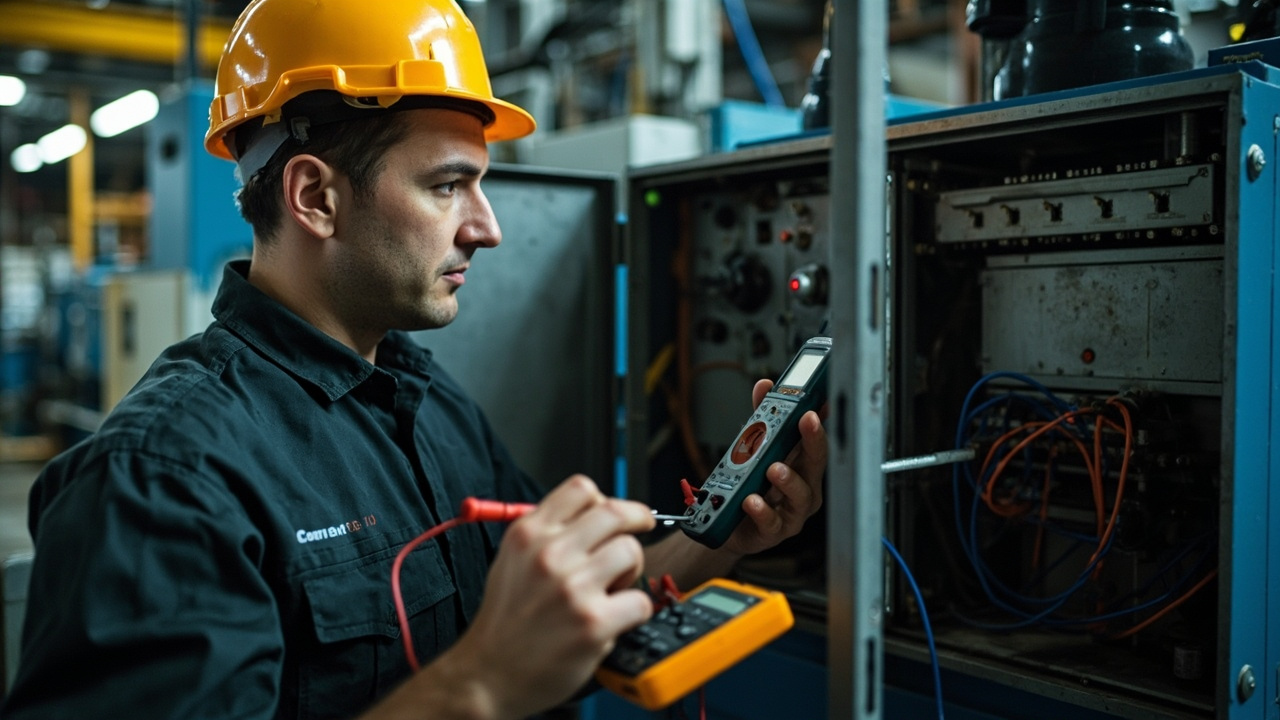
- Verify power supply. Check voltage at the controller input with a multimeter. Confirm the voltage matches the feeder rating (typically 110V or 220V single-phase). A voltage drop of even 10% can prevent proper startup or cause erratic operation.
- Check all fuses and circuit breakers. Replace blown fuses only with the correct rating. Investigate why the fuse blew — repeated fuse failure indicates a short circuit or overload condition.
- Inspect cable connections. Vibration loosens terminals over time. Tighten all screw terminals and reseat plug-in connectors. Check for frayed, pinched, or heat-damaged cables.
- Confirm controller settings. Verify that amplitude, frequency, and any automatic tuning parameters are set to correct values. Document settings before changing them.
- Examine the bowl fill level. An overfilled or underfilled bowl causes problems that mimic mechanical failure. The optimal fill is typically one-third to one-half of bowl volume.
- Look for foreign objects. Broken parts, tools, debris, or packaging material in the bowl can jam tooling and damage the track.
- Check mounting and isolation. Verify the feeder base is level and isolation mounts are intact. A feeder mounted on a resonant surface will behave unpredictably.
- Listen carefully. Unusual noises — rattling, buzzing, clanking, or screeching — provide clues to the failure mode. Note when the noise occurs in the vibration cycle.
If the universal checklist does not resolve the issue, proceed to the specific symptom sections below.
Symptom: Feeder Will Not Start
A feeder that will not start at all indicates a failure in the electrical supply, controller, or electromagnetic drive. The diagnostic goal is to determine whether the problem is upstream or downstream of the controller output.
Step 1: Verify power at the controller. Use a multimeter to measure AC voltage at the controller input terminals with the power switch on. If no voltage is present, trace backward through the power cord, plug, outlet, and building circuit breaker until you find the open point. This is the most common cause of "dead" feeders and the easiest to fix.
Step 2: Check controller indicators. Modern controllers have LED displays or status lights that indicate power, fault conditions, and output status. A dark display with verified input power indicates internal controller failure. Common internal faults include blown controller fuses, failed triacs, or damaged rectifier circuits. Consult the controller manual for specific fault code meanings.
Step 3: Test the electromagnetic coil. With power off, disconnect the coil leads from the controller and measure resistance with a multimeter. Typical coil resistance ranges from 5 to 50 ohms depending on coil size and design. An open circuit (infinite resistance) indicates a broken coil winding. A near-zero reading indicates a shorted coil. Either condition requires coil replacement. Also check the coil air gap: it should typically be 0.5 to 1.0 mm. A gap that is too large prevents magnetic coupling; a gap that is too small causes coil and armature contact.
Step 4: Inspect safety interlocks. Many feeders have door switches, overload relays, or emergency stop circuits that disable power when triggered. Verify all interlocks are reset and all E-stop buttons are released. Test interlock switches with a multimeter to confirm they close when actuated.
Step 5: Check for mechanical binding. A feeder with a seized bearing, bent spring, or foreign object jammed in the drive mechanism may draw excessive current and trigger controller protection. With power off, attempt to rotate the bowl by hand. It should move freely with mild spring resistance. If it is locked solid, disassemble and inspect the spring pack and drive mechanism.
Symptom: Feeder Runs But Does Not Feed Parts
This is one of the most common and frustrating feeder problems. The controller appears to work, the bowl vibrates, but parts do not move up the track or move so slowly that production targets are not met.
Root cause 1: Incorrect tuning or amplitude setting. The feeder may be vibrating at the wrong frequency or with insufficient amplitude. Use a variable frequency controller to sweep through the frequency range while observing part movement. The resonant frequency is where parts move most vigorously with the lowest controller output. Once resonance is found, optimize amplitude: increase gradually until parts feed reliably, then reduce slightly to minimize wear and noise.
Root cause 2: Worn or fatigued springs. Leaf springs store and release the energy that drives the bowl. Over time, they lose stiffness through fatigue, shifting the resonant frequency and reducing vibration amplitude. Springs typically last 12 to 36 months depending on operating hours and amplitude. Replace all springs as a matched set — never mix old and new springs, as this creates uneven loading and rapid failure of the remaining old springs.
Root cause 3: Excessive bowl load. Too many parts in the bowl overload the drive unit and dampen vibration. Parts at the bottom of a deep part bed absorb energy that should reach the track. Reduce the fill level to one-third to one-half of bowl volume. If the hopper is overfilling the bowl, adjust the level sensor setpoints or add a metering gate.
Root cause 4: Track contamination. Oil, grease, dust, or part residue on the track surface increases friction and prevents parts from sliding. Clean the track thoroughly with isopropyl alcohol or a suitable degreaser. For oily parts, consider adding an air knife or wiper to remove lubricant before parts enter the bowl.
Root cause 5: Incorrect bowl design for the part. A bowl designed for one part family may not work for another, even if the parts appear similar. Track width, step height, and spiral pitch must match the part dimensions. If the track is too wide, parts tumble; if too narrow, they jam. If the spiral pitch is too steep, parts slide back; if too shallow, capacity is wasted. Major mismatches require bowl redesign or replacement.
Symptom: Parts Jamming in the Track
Jamming is the most production-disruptive feeder problem because it typically requires manual intervention to clear. Chronic jamming indicates a fundamental mismatch between the part, the tooling, or the operating parameters.
| Jam location | Likely cause | Diagnostic test | Solution |
|---|---|---|---|
| Bowl center (bottom) | Parts nesting or bridging | Observe part stacking pattern | Add anti-nesting ribs, reduce fill level, or change part geometry |
| Track entrance | Too many parts entering track simultaneously | Check track loading rate | Add a wiper blade or gate to meter parts onto track |
| Orientation selector | Worn or misaligned tooling | Measure tooling clearance with feeler gauge | Replace or realign tooling; apply thread locker to fasteners |
| Air jet station | Low air pressure or clogged nozzle | Measure pressure at nozzle; clean orifice | Install dedicated regulator; add inline filter |
| Track transition to linear feeder | Height or alignment mismatch | Check transition geometry | Adjust transition piece; ensure vibration is synchronized |
| Discharge chute | Chute too steep or too narrow | Measure chute angle and width | Relieve chute angle; widen opening; add vibration assist |
The most important principle for solving chronic jams is to observe the parts in motion. Static inspection of a cleared jam rarely reveals the dynamic cause. Run the feeder with a small batch and watch where parts begin to deviate from intended flow. Slow-motion video from a smartphone can reveal behaviors invisible to the eye.
Part variation is an often-overlooked cause of jamming. Manufacturing tolerances, supplier changes, or material lot variations can push dimensions outside the range the tooling was designed for. If jams started suddenly after a part delivery, measure the new parts against the original specification. Even 0.2 mm of additional flash on an injection molded part can be enough to wedge in a selector.
Symptom: Incorrect Part Orientation at Discharge
When parts exit the feeder in the wrong orientation, downstream equipment fails: robots miss pickups, assembly stations reject parts, and vision systems trigger alarms. Low orientation yield is usually a tooling problem, but vibration parameters and part characteristics also play a role.
Tooling wear: Orientation selectors, wipers, and cutouts wear through continuous contact with vibrating parts. A selector blade that originally cleared correctly oriented parts while rejecting incorrect ones gradually loses its edge profile. The clearance increases, and incorrectly oriented parts begin to pass through. Inspect all tooling with magnification and measure critical dimensions against the original design. Replace tooling when wear exceeds 0.1 mm at critical edges.
Tooling shift: Vibration loosens fasteners. A guide rail or wiper that shifts by even 0.5 mm can completely change the selection geometry. After any tooling adjustment, apply thread-locking compound to fasteners and mark them with torque seal paint. During maintenance checks, verify that marks remain aligned — misaligned marks indicate loosening.
Insufficient vibration amplitude: Parts need adequate energy to engage with orientation features. If amplitude is too low, parts slide past selectors without rotating into the correct attitude. Increase amplitude gradually while monitoring orientation yield. Be aware that excessive amplitude causes parts to bounce over tooling rather than engaging with it — there is an optimal window.
Air jet failure: Many orientation stations use compressed air to blow off incorrectly oriented parts. If air pressure is low, nozzles are clogged, or jets are misaligned, wrong-orientation parts pass through. Verify air pressure at the nozzle (not at the compressor) with a gauge. Clean nozzles regularly. Check jet alignment by observing the air blast pattern — it should strike the part at the correct point and angle.
Part geometry changes: A part that was easy to orient may become difficult if the manufacturing process changes. Added ribs, changed draft angles, or different surface textures alter how parts interact with tooling. If orientation yield drops after a part engineering change, the tooling may need redesign.
Symptom: Excessive Noise or Vibration
While all vibratory feeders generate some noise, a sudden increase in noise level or the appearance of new sounds indicates a problem that will worsen if ignored. Noise is both a symptom and a cause: it signals mechanical distress while also creating a hazardous work environment.
Rattling or clanking: Loose bolts, nuts, or brackets vibrate against each other. Perform a systematic fastener check, starting with bowl-to-base bolts, spring pack bolts, and base mounting bolts. Use a torque wrench and compare to specifications. Apply thread-locking compound to fasteners that repeatedly loosen. Check for missing washers or damaged threads.
Loud buzzing or humming from the coil: The electromagnetic coil should produce a quiet hum at the operating frequency. A loud buzz or rattle indicates the coil air gap is too large, allowing the armature to strike the coil face. Adjust the gap to manufacturer specification, typically 0.5 to 1.0 mm. If the gap is correct but noise persists, inspect the coil mounting for looseness or damage.
Sharp metallic impacts: Part-on-part collision is the loudest noise source in most feeders. Hard metal parts striking a stainless steel bowl can exceed 100 dB at the point of impact. Reduce collision noise by lowering amplitude, reducing bowl fill, applying polyurethane or rubber coating to the track, or installing an acoustic enclosure. For more comprehensive noise control strategies, see our detailed noise reduction guide.
Structural resonance: If the support table, floor, or nearby equipment vibrates in sympathy with the feeder, noise amplifies throughout the area. Ensure the feeder is mounted on a rigid, massive base. Add mass to lightweight tables. Install vibration isolation mounts between the feeder and its support. Verify that no other equipment shares the same resonant frequency.
Spring failure: A cracked or broken spring creates irregular, loud clanking as the broken piece moves freely. Inspect all springs with a flashlight and magnifier. Hairline cracks are often visible at the clamping points where stress concentrates. Replace all springs as a set when any single spring shows damage.
Symptom: Electrical Faults and Controller Errors
Electrical problems in vibratory feeders are often intermittent, making them particularly frustrating to diagnose. A feeder that runs fine for hours then suddenly stops, or one that behaves differently at different times of day, likely has an electrical issue.
Intermittent connections: Vibration gradually loosens screw terminals, push-on connectors, and wire nuts. The connection may be good when cold but open when heated, or good at rest but open when vibrating. The most reliable fix is to replace push-on connectors with crimped ring terminals and screw them down. Apply a small amount of dielectric grease to prevent oxidation. Check coil connections specifically — they carry high current and are subject to the most vibration.
Overheating: Controllers and coils generate heat during operation. If the controller is mounted in an enclosed cabinet without ventilation, thermal protection may trip intermittently. Ensure the controller has free air circulation and is not mounted above heat sources. Clean dust from cooling vents. Measure controller case temperature during normal operation — if it exceeds 60°C, improve ventilation or reduce the duty cycle.
Voltage fluctuation: Factory power systems fluctuate as large loads cycle on and off. A feeder running near its maximum amplitude setting may drop out when voltage sags by 5–10%. Monitor supply voltage with a recording meter over a full production cycle. If sags correlate with feeder problems, either reduce the feeder's power demand or install a voltage stabilizer.
Electromagnetic interference: Nearby welding equipment, variable frequency drives, or radio transmitters can induce spurious signals in feeder control circuits. Symptoms include erratic amplitude changes, uncommanded stops, or controller display glitches. Route control cables away from power cables. Use shielded cables for sensor and control signals. Ensure the feeder controller and base are properly grounded.
Component aging: Capacitors in the controller power supply lose capacity over time, reducing output power. Triacs develop increased voltage drop and heat generation. After 5–7 years of continuous operation, controller internal components may need replacement. Modern digital controllers with self-diagnostics make this easier by reporting specific fault codes.
Preventive Maintenance Checklist
The majority of feeder failures can be prevented with a disciplined maintenance schedule. Use this checklist to keep your vibratory feeder reliable:
| Frequency | Task | Purpose |
|---|---|---|
| Daily | Clean bowl and track; check parts level; listen for unusual noises | Prevent contamination buildup and catch incipient problems early |
| Weekly | Tighten all fasteners; inspect springs for cracks; check air jet alignment | Counteract vibration loosening and spring fatigue |
| Bi-weekly | Measure and record vibration amplitude; check coil air gap | Detect tuning drift before it causes feeding problems |
| Monthly | Inspect electrical connections; clean controller vents; check isolation mounts | Prevent intermittent electrical faults and structural resonance |
| Quarterly | Measure track wear; inspect tooling with magnification; test level sensors | Plan replacements before wear causes quality issues |
| Annually | Replace springs preventively; full electrical inspection; recalibrate controller | Avoid unexpected failures during critical production periods |
Document all maintenance activities with dates, measurements, and observations. This history becomes invaluable when troubleshooting: a feeder that was retuned three months ago and now shows spring cracks suggests the tuning process overstressed the springs. A feeder with gradually increasing amplitude settings over six months indicates progressive spring fatigue.
Frequently Asked Questions About Vibratory Feeder Repair
Why does my vibratory feeder hum but not vibrate?
A humming sound without vibration typically indicates the electromagnetic coil is energized but cannot move the bowl. Common causes include a coil air gap that is too large, mechanical binding in the spring pack or drive, a blown controller output stage that delivers DC rather than pulsed AC, or a bowl that is so overfilled the drive cannot overcome the mass. Check the air gap first — it is the most common cause and the easiest to fix. Then verify the controller output waveform with an oscilloscope if available. Finally, remove all parts from the bowl and test again; if vibration resumes, the problem was excessive load.
My feeder feeds too slowly even at maximum amplitude. What is wrong?
Slow feeding at maximum amplitude indicates the system is not operating at resonance, the springs are worn, or the drive is undersized for the current bowl load. First, perform a frequency sweep to find the true resonant frequency — it may have shifted due to spring aging or bowl modifications. Second, inspect springs for fatigue; even if not visibly cracked, aged springs lose stiffness. Third, verify the bowl fill level is not excessive. Fourth, check for track contamination that increases friction. If all these are correct, the drive unit may be undersized for the bowl mass and may need upgrading.
Why does my feeder work sometimes and stop at other times?
Intermittent operation is almost always an electrical connection issue, thermal protection cycling, or voltage fluctuation. Check all terminals and connectors for looseness — vibration is the enemy of electrical reliability. Monitor controller temperature during operation to see if thermal shutdown correlates with stops. Record supply voltage over time to identify sags. Less commonly, a failing controller component such as a capacitor or triac can cause intermittent output. If mechanical causes are ruled out, swap the controller with a known-good unit to isolate the problem.
How do I know when tooling needs replacement rather than adjustment?
Tooling needs replacement when wear exceeds the repairable limit or when adjustment cannot restore original geometry. Signs that replacement is needed include: visible rounding or grooving at selector edges exceeding 0.1 mm; tooling that has been adjusted so many times it is out of adjustment range; cracks or deformation in the tooling material; or persistent orientation yield below 95% despite all adjustments. Attempting to nurse worn tooling along with endless adjustments wastes more production time than replacement. Huben stocks replacement tooling for all feeders we manufacture and can reverse-engineer tooling for third-party bowls.
Can I replace just one broken spring, or must I replace the entire set?
You must replace the entire spring set. Mixing old and new springs creates uneven tension distribution, causing the new springs to carry disproportionate load and fail prematurely. The old springs, already fatigued, will fail soon afterward. A mismatched set also causes uneven vibration, leading to bowl stress cracks, poor feeding, and accelerated wear. Always replace all springs as a matched set from the same manufacturer batch. Record the replacement date and schedule the next preventive replacement based on operating hours.
Should I upgrade to a modern digital controller?
If your feeder uses an analog controller more than 10 years old, a digital upgrade often pays for itself quickly. Modern controllers offer frequency display and adjustment, automatic resonance seeking, soft start to reduce mechanical shock, fault diagnostics, and communication interfaces for integration with plant control systems. The improved tuning precision alone typically increases feed rate by 10–20% while reducing noise and wear. Huben offers controller upgrades compatible with most bowl feeder brands, including retrofit kits with mounting adapters and wiring harnesses.
Conclusion: From Reactive Repair to Proactive Reliability
Vibratory feeders are robust machines, but they are not maintenance-free. The difference between a feeder that runs reliably for years and one that causes chronic downtime is usually the quality of maintenance and troubleshooting discipline applied.
When a feeder fails, resist the urge to make random adjustments. Follow the systematic approach: universal checklist first, then symptom-specific diagnosis, then root cause correction, then verification. Document everything. The time invested in proper diagnosis is repaid many times over in avoided repeat failures and extended component life.
For feeders that defy in-house troubleshooting, or for applications where downtime is prohibitively expensive, Huben Automation offers expert diagnostic services, on-site repair, remote troubleshooting support, and comprehensive rebuild programs. Our engineers can evaluate your feeder, identify the root cause of chronic problems, and implement solutions that restore reliable operation.
If your vibratory feeder is not working and you need expert assistance, contact Huben Automation for diagnostic support or repair services. With 20+ years of experience, ISO 9001 certification, and factory-direct pricing, we keep your feeding systems running at peak performance.
Pronto para Automatizar sua Produção?
Receba uma consulta gratuita e orçamento detalhado em até 12 horas da nossa equipe de engenharia.